Rust is a new open-source programming language that is considered
as one of the fastest languages ever. It’s a highly secure language
developed by Mozilla back in 2010 and supported by LLVM. Rust is
chosen by Data Warehousing companies such as Dropbox, Postmates,
Stac, etc. where security is prioritized. Rust can operate
flawlessly with multiple platforms. To derive its maximum benefits,
I’m going to walk you through the processes involved in installing
Rust programming language on Linux. This will help you get started.
[1][2]
Important Features
- It covers the field of type inference
- Provides maximum responsiveness along with C bindings,
- Processes algebra data types,
- Optimizes threads without data races.
- The syntax is approximately close to C and C++.
Basic Prerequisites
Prior to going through the following steps, you need to have an
individual a non-root user account having sudo privileges set up on
the server to install Rust on Linux distribution[3]. If you use a
distribution that doesn’t work with sudo, you’ll then have
to su to the root user in place of using the sudo
command.
Install Rust Programming Language
in Linux
To install Rust on your Linux, you can either choose to go with
the official method suggested in the Rust website via
curl-command-line-downloader, or you can choose to exploit the sudo
privileges and move accordingly.
For Debian/Ubuntu, follow the below
command:
$ sudo apt-get install curl
For CentOS/RHEL, follow the below command:
# yum install install curl
For Fedora, follow the below command:
# dnf install curl
The rustup tool is responsible for managing Rust on your Linux.
Use the command given below and proceed with the instructions to
install Rust on Linux.
$ curl https://sh.rustup.rs -sSf | sh
Now watch as I go by installing Rust on my Linux Setup, Step by
Step.

I have gone with the curl approach and inserted command on the
Terminal.
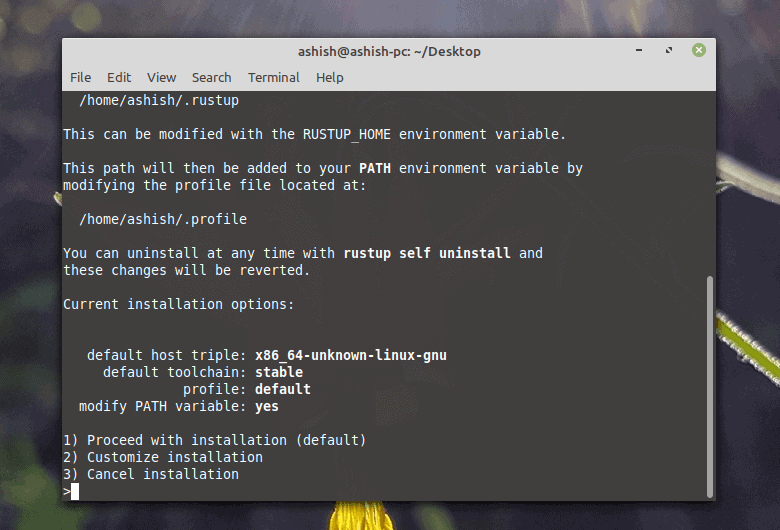
The Terminal is giving me three options to choose from, and I
have chosen to proceed with installation in the default method.
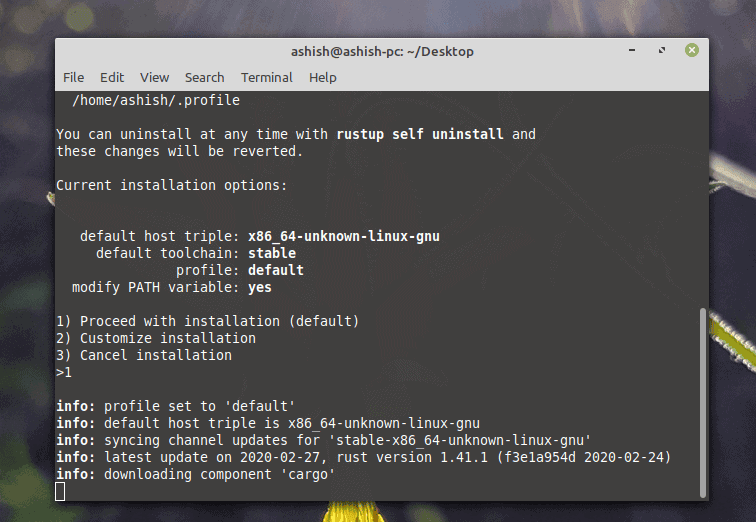
The default installation method is now confirmed, and the
Terminal is getting busy with downloading various components along
with packages for the Linux system.
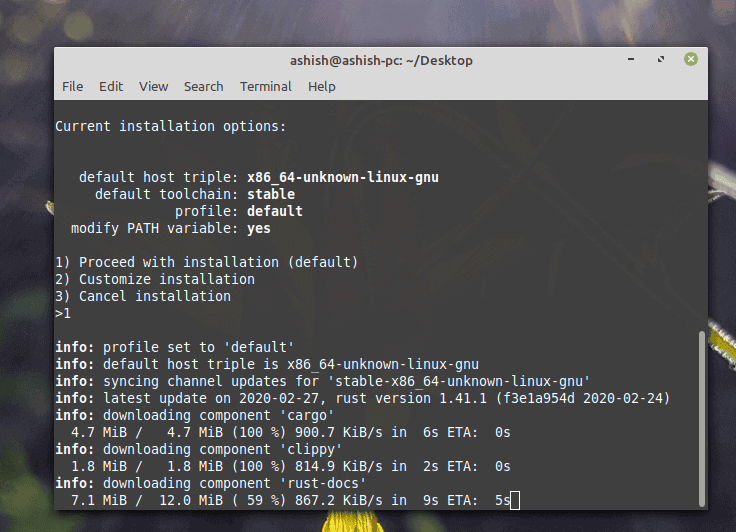
A lot of components are to be downloaded.
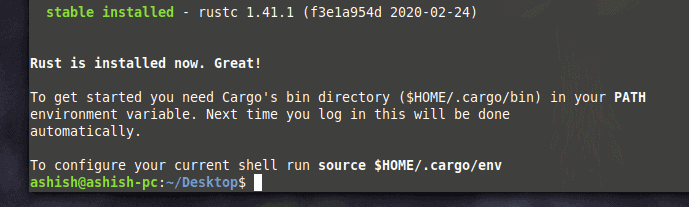
There you GO! Rust is installed on Linux. It was easy as a piece
of cake, wasn’t it?
Another message is showing that Cargo’s bin directory will be
added in your Path environment variable in your profile. Rust up
will try to adjust the cargo’s bin directory at the time of
installation. If it fails to do so, you can manually use Rust to
solve this.
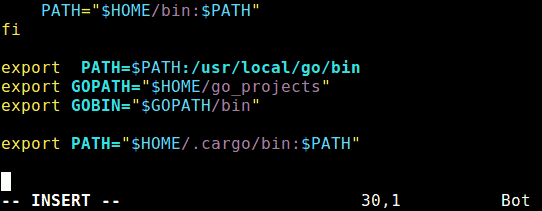
Use these commands to configure the Rust environment on your
Linux after fixing the profile to the modified path.
$ source ~/.profile
$ source ~/.cargo/env
You can then move on to validating the version of installed Rust
on your Linux.
$ rustc --version

Testing Rust Programming Language
on Linux
Are you getting excited to start your development journey with
Rust? Well, hold on a minute. Before you try anything out, how
about testing if Rust is working on your system or not. Follow
these easy steps one by one to ensure Rust is appropriately
installed on Linux.
- The First Step is to start with assigning directory where the
programs will be stored.
$ mkdir myprog$ cd myprog
- Then create a file test.rs and copy the function below to paste
it unto the file.
fn main() { println!("Hello World, it’s UbuntuPIT.com – Best Linux HowTos, Guides on the Internet!");}

- I have used VIM for editing. This will now create an executable
called test in the assigned directory.
$ rustc main.rs
- Execute test with this command
$ ./test
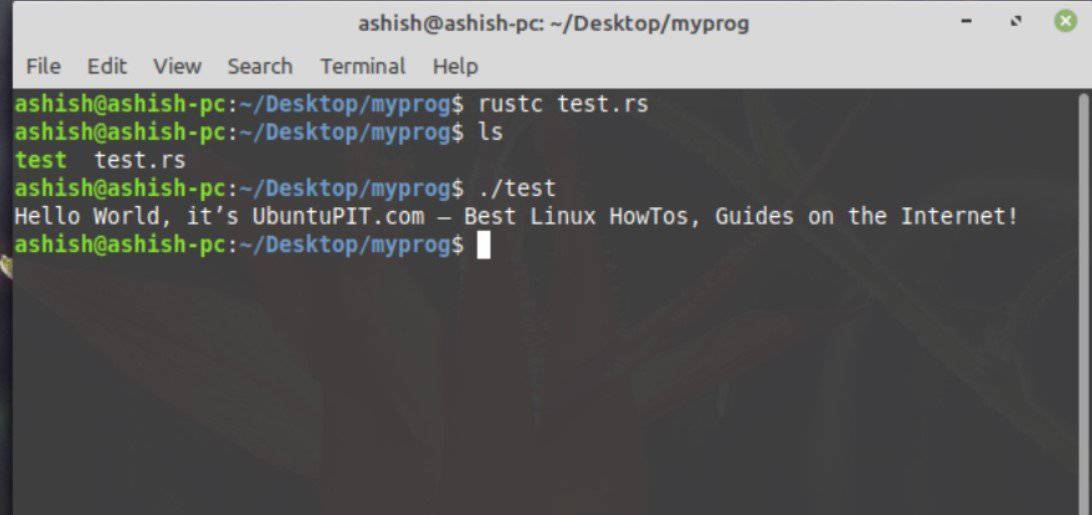
Well, there you go now. Rust is installed on your Linux and
running smoothly. Now have a great time building your
blazing-fast applications and having fun with Rust Language.
Important Facts to
Know
These are the points you must keep in mind about RUST:
- Rust has a quick release cycle of 6 weeks, be sure to have
loads of Rust builds available at any time. - Rustup is solely responsible for monitoring and controlling the
builds that enables them to operate on various supported platforms.
This opens up the opportunity to install Rust from the beta and
nightly release channels as well as supporting extra
cross-complication goals.
Finally, Insight
The overall installation process is pretty straight forward and
easy to comprehend. This just goes to show how effective Linux
based operating systems are and how easily they can be configured.
Since Rust is a great tool to handle ultra-fast application
developments, knowing how to install Rust on the Linux work
environment provides a great edge on rapid development cycles. Now
jump in and start developing.
References
- ^
Rust
(www.rust-lang.org) - ^
Top 20
Most Popular Programming Languages To Learn For Your Open-source
Project (www.ubuntupit.com) - ^
Best
Linux Distro: Top 10 Recommendation To Boost Up Your Linux
Experience (www.ubuntupit.com)
Read more https://www.ubuntupit.com/how-to-install-rust-programming-language-on-linux/